Quick Answer
In one sentence: At the same security grade and with a proper installation, a smart lock and a traditional deadbolt resist a break-in about equally, because most smart locks are deadbolts underneath, so the real choice is whether keyless access is worth the cost and batteries for how you live.
The longer answer: People treat this like a showdown between old and new, but the physical security of a lock lives in its grade, its strike plate, and your door frame, none of which the electronics change. A smart lock adds convenience and access control on top of that shared foundation, along with a few new things to maintain. This guide separates the security question, which is mostly about grade and installation, from the lifestyle question, which is where smart features actually earn their keep.
Key Takeaways
- Most smart locks are deadbolts with electronics added. At the same grade, physical strength is comparable.
- A lock's real security is its ANSI/BHMA grade, its strike plate, and the door frame, not whether it's smart.
- Most break-ins are a kicked door or pried frame, not a picked or hacked lock.
- Smart locks add keyless entry, remote control, guest codes, and logs, plus batteries and updates to manage.
- Whatever you choose, a Grade 1 or 2 lock and a reinforced frame matter more than the smart label.
Ask which is safer, a smart lock or a traditional deadbolt, and you'll get strong opinions in both directions. The honest answer, and the one locksmiths tend to give, is that the question itself is aimed slightly off target. Once you see where a lock's security actually comes from, the real decision gets much clearer, and much easier.
The Question Almost Everyone Asks Wrong
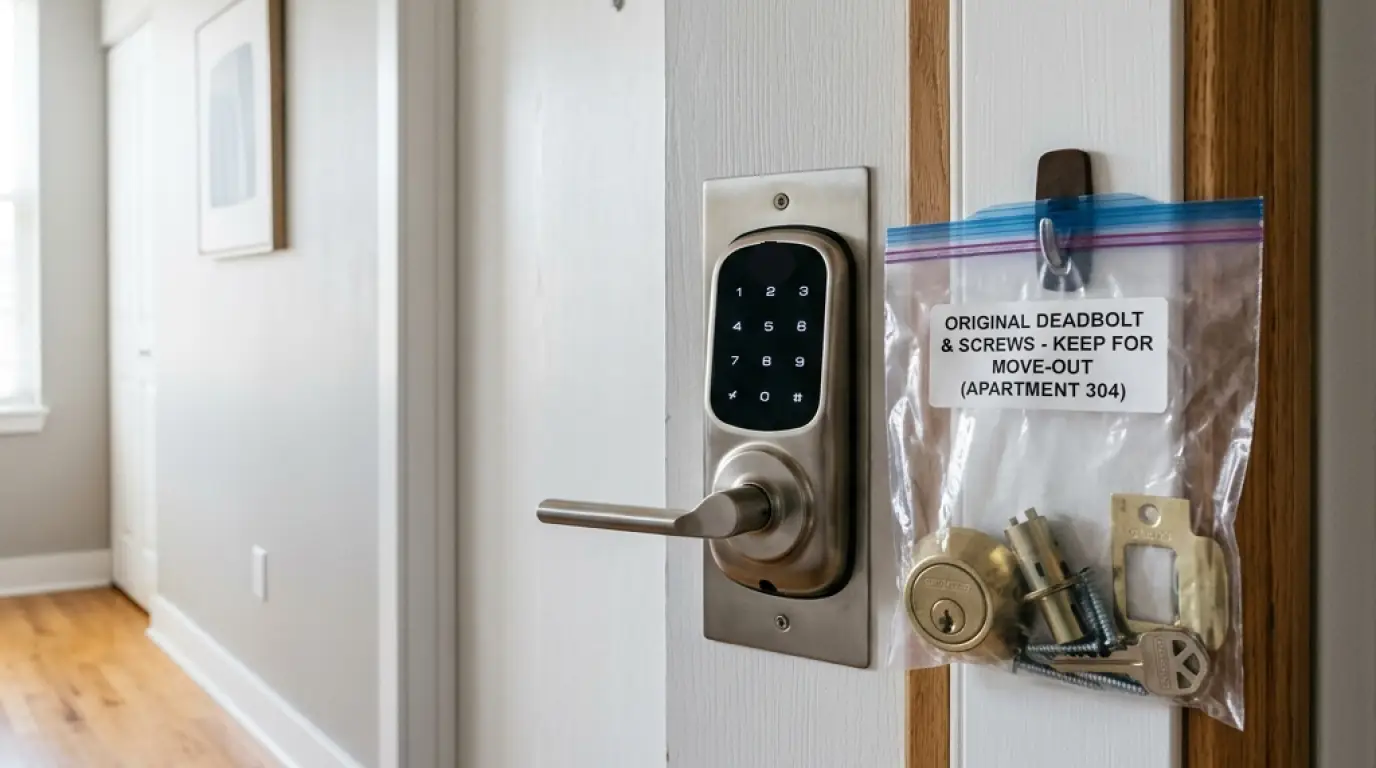
Here's the thing the marketing on both sides tends to obscure: most smart locks are deadbolts underneath. A typical smart lock is a standard deadbolt mechanism with a motor and some electronics added to turn the bolt. As one locksmith comparison puts it, this isn't really a security showdown, because the two are not different species. They are the same bolt with a different way of operating it.
Security professionals are consistent on the consequence: at the same grade, with a correct installation, their resistance to forced entry is comparable. Technology does not automatically make one physically stronger. The electronic layer, as one locksmith bluntly notes, does nothing to stop a physical attack. If the bolt and frame are weak, a keypad or a wireless radio adds no protection against a kick or a drill. So the useful question is not smart versus traditional. It's two separate questions: is this lock physically strong, and do I want the smart features.
Where a Lock's Security Actually Lives
If the smarts don't determine physical security, what does? Three things, and none of them care whether there's a keypad on the front.
The grade. Locks are tested and rated by ANSI and BHMA on a three-tier scale. Grade 1 is the highest, built to commercial-grade strength and tested for around a million cycles; Grade 2 is the common residential standard; Grade 3 is light-duty. Both smart and traditional locks come in these grades, so a Grade 1 smart lock and a Grade 1 deadbolt offer the same bolt strength and forced-entry resistance. When shopping, look at the grade, not the label.
The strike plate and screws. The strike plate is the metal plate the bolt slides into on the frame. A reinforced strike plate secured with long, roughly 3-inch screws that reach into the wall stud is one of the cheapest, most effective upgrades you can make, because it anchors the lock to the structure rather than to thin trim.
The door and frame. This is where most attacks actually succeed. Security guidance is blunt about it: most burglars don't pick locks like in the movies, they kick the door, pry the frame, or find an open window. A top-grade lock on a hollow, poorly framed door has been compared to a steel chain on a paper box.
The one line to remember
Your door's security is the whole system: the lock grade, the strike plate, the door, and the frame. The smart features sit on top of that and change how you use the lock, not how well it resists a break-in. Get the grade and the installation right first, and only then decide about the electronics.
What a Smart Lock Genuinely Adds
With the security question set aside, here's where a smart lock earns its price, and for the right household these are genuinely valuable.
Keyless entry. No key to lose, hide under a mat, or have copied. You unlock with a code, a phone, or sometimes a fingerprint.
Temporary, revocable codes. Give a cleaner, dog walker, guest, or family member their own code, then remove it when it's no longer needed. This is genuinely useful for short-term rentals and, as our guide to helping aging parents, for a visiting caregiver.
Remote control and logs. Lock or unlock from your phone, check whether you locked up, and see a record of who came and went and when. Auto-lock closes the door behind you if you forget.
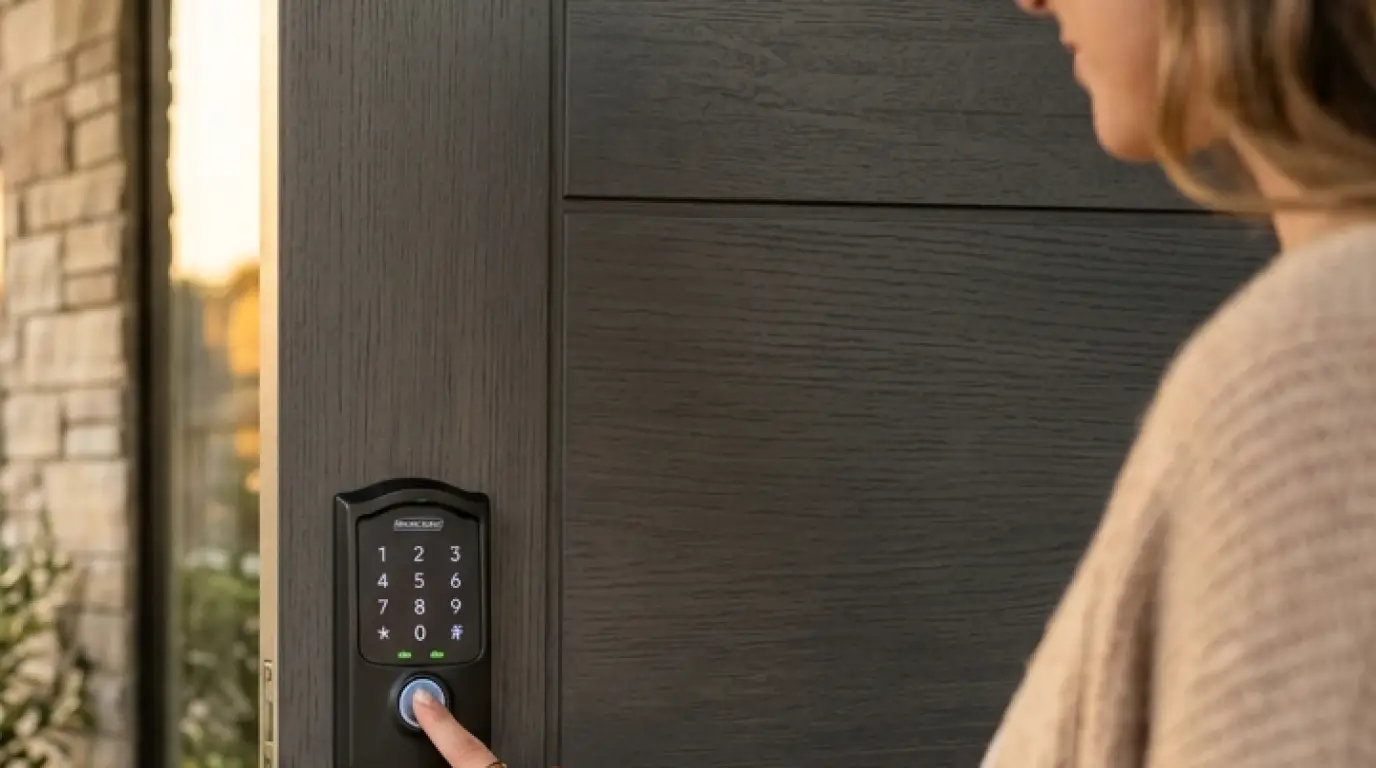
None of these make the door physically harder to break down. All of them make it easier to manage who has access, which is a real and different kind of security.
Wondering which lock and setup fit your door?
Our advisors can talk through grade, installation, and whether smart features are worth it for how you live, and compare options across our provider partners. Free consultation, no pressure.
Call (855) 248-8052 or request a free quote online.What a Smart Lock Genuinely Costs You
An honest comparison names the trade-offs too. A smart lock adds a few things you have to manage that a mechanical lock never asks of you.
Batteries. A smart lock runs on batteries, and a dead battery at the wrong moment is the classic worry. In practice, most smart locks include a backup: a physical key, or an external contact point you can touch a 9-volt battery to in order to power it up and get in. The fix is simple: replace batteries when the low warning appears, and know your model's backup method.
Connectivity. Remote features depend on Wi-Fi or a hub. An outage doesn't stop you unlocking at the door, but it can block remote access and logs until it's back. The parallels with other connected gear are covered in our guide to wireless versus wired systems.
Maintenance and cost. There's firmware to keep updated, a password and app to manage, and a higher price, commonly a bit over $100 for basic models up to $300 or more for premium ones, against a good mechanical deadbolt that can cost far less and run for decades on occasional lubrication.
The Hacking Question, Answered Honestly
This is the fear that drives a lot of the debate, so it deserves a straight answer, neither dismissive nor alarmist.
Can a smart lock be hacked? Yes, but it's uncommon, and it is not how homes actually get broken into. Security professionals are consistent: most burglars exploit physical weaknesses, not digital ones. Reputable smart locks use strong encryption, often the same AES standard used by banks, and the practical risk is less a genius hacker than a weak Wi-Fi password or a lost, unlocked phone.
That said, the concern is not zero. Independent researchers reviewing consumer smart locks have found cheaper, lesser-known models shipping with real vulnerabilities. The honest framing is a trade of risks: a traditional deadbolt has no digital attack surface at all but can be picked, bumped, or drilled; a smart lock resists those the same way its underlying deadbolt does, but adds a digital surface you have to keep secure. Choose a reputable brand, use a strong unique code, enable two-factor authentication in the app, and keep the firmware updated, and the digital risk drops to a small fraction of the risk that someone simply kicks the door.
What a Traditional Deadbolt Still Does Best
Smart locks get the attention, but a good mechanical deadbolt remains an excellent choice, and for many homes the right one. Its strengths are exactly the smart lock's weak points.
- It never needs batteries, power, or a network, so it works in any outage and turns reliably every single time
- It has no digital attack surface at all, and nothing to update or patch
- It is simple and durable, often lasting decades with little more than occasional lubrication
- It usually costs less upfront, with no app, subscription, or firmware to think about
If you don't need to share access, don't mind carrying a key, and value maximum simplicity and reliability, a strong mechanical deadbolt is not a compromise. It's arguably the purer security tool.
So Which Should You Choose?
Because the physical security can be equal, this comes down to how you live, not which is objectively safer. A simple way to decide:
- Choose a traditional deadbolt if you want maximum simplicity and reliability, don't need to share access, are happy with keys, and prefer nothing to charge, update, or manage. Get Grade 1 or 2, and reinforce the frame.
- Choose a smart lock if keyless entry, remote control, guest codes, or access logs genuinely fit your life, you share access with family or workers, run a short-term rental, or hate carrying keys. Get Grade 1 or 2, keep the batteries fresh and the firmware current, and reinforce the frame.
- Consider a hybrid mindset either way: many people get the best of both by choosing a Grade 1 smart deadbolt, which gives mechanical strength and keyless convenience in one unit.
Notice what every option ends with: the grade and the reinforced frame. That is the part that actually keeps the door shut. The smart label is a convenience decision layered on top of it.
A lock is one layer of a home's protection, not the whole of it. To see where it fits alongside sensors, alarms, and monitoring, our guide to what makes a full security system puts the pieces together.
Frequently Asked Questions
Are smart locks less secure than traditional deadbolts?
Not inherently. At the same ANSI/BHMA grade and with proper installation, physical resistance is comparable, since most smart locks are deadbolts underneath. Smart locks trade lock-picking risk for a small, manageable digital one.
What actually determines how secure a lock is?
The grade, the strike plate, and the door frame, not whether it's smart. A high-grade lock with a reinforced strike plate and long screws into the stud resists forced entry far better than the electronics ever could.
Can smart locks be hacked?
Yes, but it's uncommon and not how homes are typically broken into. Reputable locks use bank-level encryption. Use a strong code, enable two-factor authentication, and keep firmware updated, and the digital risk stays small.
Will a smart lock lock me out if the battery dies?
Usually not. Most include a backup, such as a physical key or an external terminal you touch a 9-volt battery to for power. Replace batteries at the low warning and know your model's backup method.
What is an ANSI/BHMA grade?
A tested rating of a lock's strength and durability. Grade 1 is highest, built to commercial-grade strength; Grade 2 is the common residential standard; Grade 3 is light-duty. Look for Grade 1 or 2, smart or traditional.
Do most break-ins involve picking or hacking locks?
No. Most burglars kick the door, pry the frame, or find an open window rather than picking or hacking a lock. That's why the door, frame, and strike plate matter as much as the lock itself.
Is a traditional deadbolt good enough on its own?
For many homes, yes. A Grade 1 or 2 deadbolt on a reinforced frame is excellent, needs no batteries or updates, and works in any outage. If you don't need shared access, it's a strong, simple choice.
What's the single best upgrade for door security?
A reinforced strike plate with long screws that reach the wall stud, on a solid door. It anchors the lock to the structure and is one of the cheapest, most effective improvements, whichever lock you choose.
Are smart locks worth the money?
If keyless entry, remote control, guest codes, or access logs fit how you live, yes. If you don't need those and value simplicity, a good mechanical deadbolt does the security job for less, with nothing to manage.
Should I install a lock myself or hire a professional?
Basic retrofit smart locks are often DIY-friendly. But if the door is misaligned, the strike plate is weak, or it's part of a larger system, professional installation ensures the lock actually performs as rated.
Related Reading
- The Difference Between an Alarm System and a Security System
- Home Security for Aging Parents: Practical Advice for Adult Children
- How Do Burglars Actually Choose Which Homes to Break Into?
- Wireless vs Wired Home Security Systems
Explore our services:
Get the Whole Door Right, Free Advice to Start
The smart-versus-traditional debate misses the point that keeps a door shut: the grade, the frame, and the installation. Get those right, and either lock will serve you well.
Home Secure Connect is an independent home security advisor. We help homeowners across the USA choose the right lock and the right setup for their door and their life, and compare options across our trusted provider partners. Free consultation. No obligation. No pressure.
Call (855) 248-8052 or Request a Free Quote. Available Mon to Fri, 10am to 8pm ET.Trending This Week
Alarm System vs Security System: What's the Diffe…
September 21, 2026 · About 8 min read
Home Security for Aging Parents: Practical Advice…
September 16, 2026 · About 9 min read
Monitored vs Self-Monitored Security Systems: The…
September 14, 2026 · About 8 min read