Quick Answer
In one sentence: For a family with small kids, a security system's most useful features are the everyday ones, a chime when a door opens, individual codes for caregivers, and screening who's at the door, and it works best alongside, not instead of, a baby monitor, childproofing, and plain supervision.
The longer answer: When you picture home security with a new baby, you might imagine defending against intruders. That matters, but it's rarely the part that helps day to day. For parents, the quieter benefits do more work: knowing the moment a door opens so a curious toddler can't slip outside unnoticed, giving each babysitter and grandparent their own code, and seeing who is at the door before it opens. This guide covers those practical wins, and is honest about the things a security system is simply not built to do.
Key Takeaways
- The most useful feature for parents is often a door-open chime, so a toddler can't slip outside unnoticed.
- Individual, revocable codes let you manage the rotating cast of babysitters, grandparents, and helpers.
- A security system is not a baby monitor, not childproofing, and never a substitute for supervision.
- Kids are a common false-alarm cause; set up a chime mode and teach age-appropriate basics.
- If you use cameras with caregivers, be transparent, and check your state's rules on audio recording.
Bringing home a new baby has a way of making you look at your house differently. Every door, every window, every stair suddenly registers. It's natural to think about security in that moment, and a system can genuinely help, just usually not in the dramatic way the marketing suggests. The real, daily value for a family is quieter and more practical, so let's start with what actually earns its keep.
The Everyday Value Isn't About Intruders
Ask parents who have a system what they use most, and it's rarely the burglar alarm. It's three humble things.
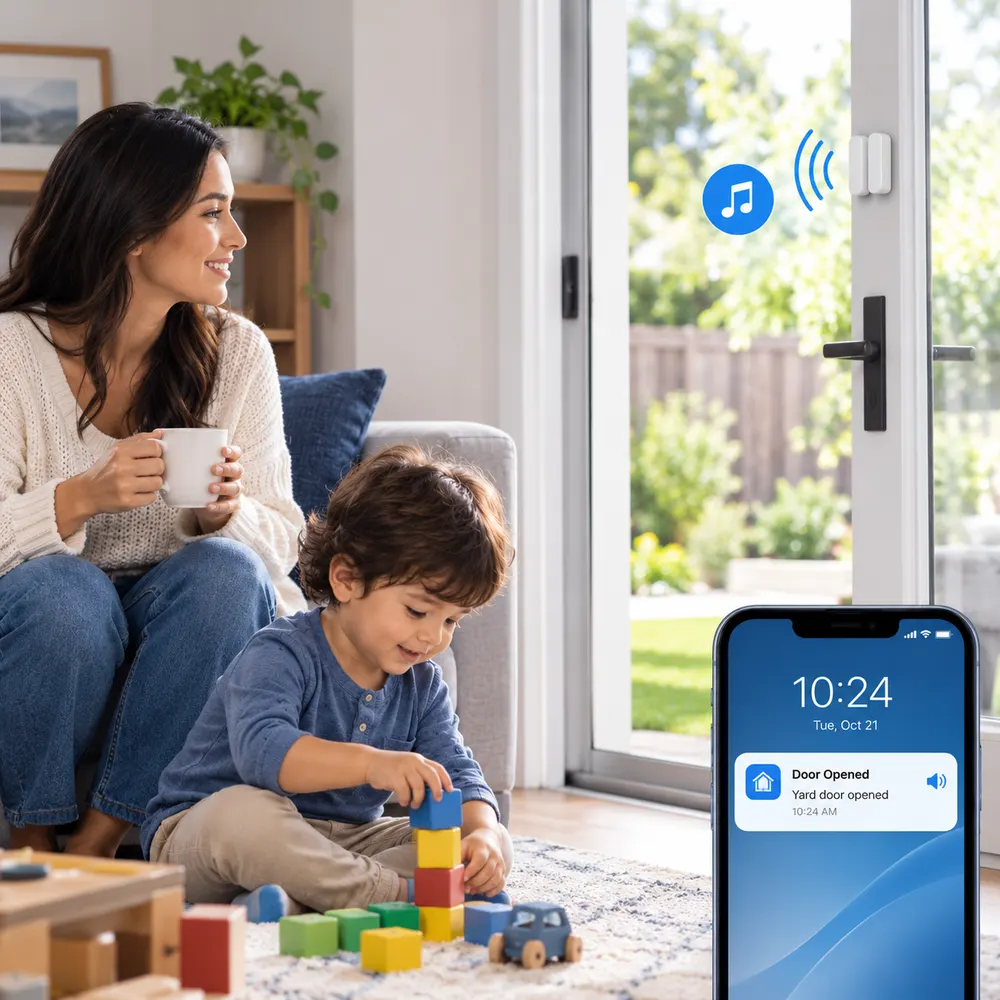
Knowing when a door opens. A door or window sensor doesn't only warn about someone coming in. As child-safety education guidance notes, it tells you when a door opens at all, including when a curious toddler heads for the back door or a small child tries a window. Set to chime rather than alarm, it becomes a gentle, constant awareness of the boundary of your home, which is one of the most reassuring things a parent can have.
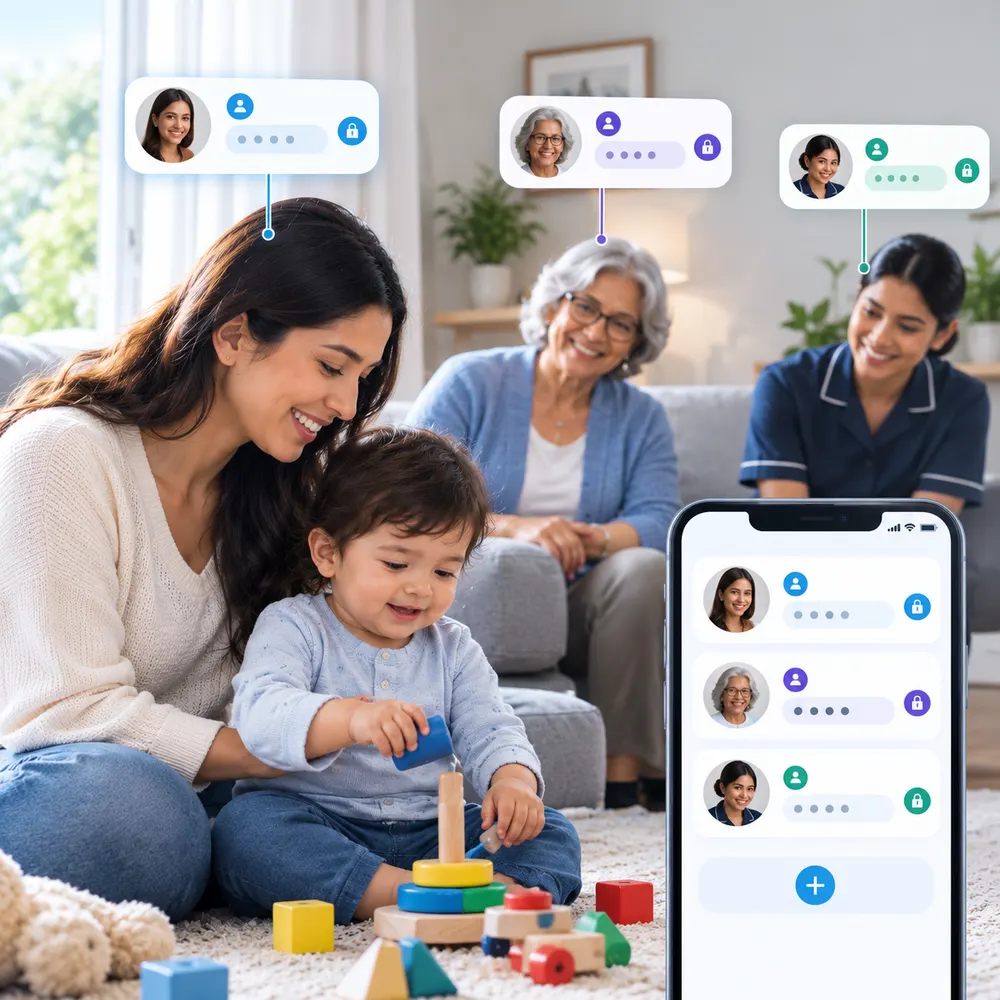
Managing who has access. Family life with small children means a rotating cast at your door: grandparents, babysitters, a nanny, the occasional helper. Individual keypad codes let each person in without a shared key floating around, and you can see when someone arrives and remove a code the moment it's no longer needed.
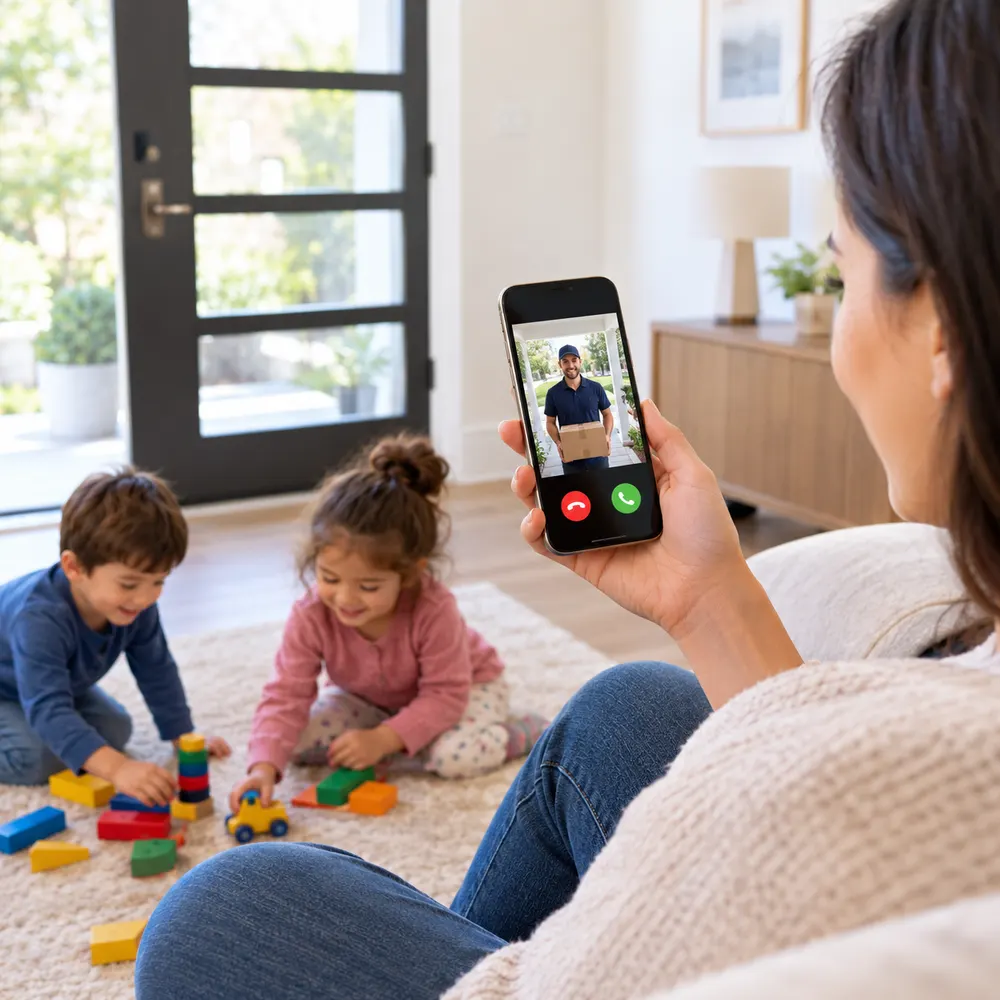
Seeing who's there before you open. With a baby on your hip, a video doorbell lets you check a caller without opening the door, so you never have to decide whether to unlatch it with little ones underfoot.
What a Security System Is Not
This is the honest part, and getting it right matters more than any feature. A home security system is a useful layer for a family, but it is not several things people hope it will be, and treating it as those things is where families get a false sense of safety.
It is not a baby monitor. A baby monitor is purpose-built for watching a sleeping infant, and, as a consumer smart-home guide points out, it typically raises fewer privacy questions than a full security camera. If you want to watch the nursery, a dedicated baby monitor is the right, more appropriate tool, not a security camera repurposed for the crib.
It is not childproofing. Sensors and cameras tell you what's happening; they don't stop a cabinet opening, a stair fall, or a curious hand reaching an outlet. Physical childproofing, latches, gates, covers, and guards, is a separate and essential job.
It is never a substitute for supervision. An alert can tell you a door opened, but it cannot watch your child for you. This is most important around water: no sensor, camera, or alarm replaces an adult's direct supervision near a pool, bath, or any water. Technology is a backstop to attention, never a replacement for it.
The healthy way to think about it
A security system is one layer in a family's safety, alongside a baby monitor, thorough childproofing, working smoke and carbon monoxide alarms, and, above all, supervision. It's at its best doing what it's built for: awareness of doors, windows, access, and hazards like fire. Let the other tools do their jobs, and it does its own very well.
Want a setup that fits a busy household with little ones?
Our advisors can help you choose the family-friendly features that genuinely help, and skip the rest, across our provider partners. Free consultation, no pressure.
Call (855) 248-8052 or request a free quote online.The Features That Actually Help Families
With the scope clear, here are the pieces that consistently earn their place in a home with small children.
Door and window sensors, set to chime. The workhorse. On many systems you can have a sensor announce that a door opened with a soft chime, without triggering the full alarm, a setting security installer guidance highlights for families. That single setting is the toddler-heading-outside early warning, and our guide to sensors and placement helps you position them well.
A motion sensor as a no-video wandering alert. A motion sensor in a hallway or near a bedroom can alert you that a child has left their room at night without recording any video of the room itself, a lighter-touch option than a camera for that specific need.
Smart locks with individual codes. Keyless entry means no key hidden under the mat, a notification when a door is left unlocked or ajar, and a unique, removable code for each caregiver, as our comparison of smart locks and deadbolts explains.
A video doorbell. Screen visitors without opening the door, and keep an eye on the porch for packages and callers.
Monitored smoke and carbon monoxide detection. Young children are especially vulnerable to smoke and carbon monoxide, so detection that summons help even if you can't is worth prioritizing, a point family security guidance also makes. Our guide to smoke alarm safety covers the details.
Kids and False Alarms
Small children are one of the most common causes of accidental alarms, opening doors, wandering past motion sensors, pressing buttons. A blaring siren that wakes the baby and rattles the whole house is exactly what you don't want, and it's avoidable. The chime setting mentioned above is the main fix: it lets the system note activity without going into full alarm. Handling a false alarm correctly also matters, and our guide to what to do when your system false alarms walks through it.
Teach at the right level. For toddlers and preschoolers, keep it to awareness: not opening doors or windows on their own, and what an alarm sounds like, using a practice or demo mode if the system has one. Older kids can learn to arm and disarm with their own code, an approach family security guidance recommends. Give everyone with regular access their own code so you can tell who is coming and going, and so a departing babysitter's code can simply be removed.
Cameras, Caregivers, and Privacy
Cameras can be genuinely helpful for checking in on common areas or a caregiver's visit, but they come with responsibilities that are easy to overlook, especially where other people and your own children are concerned.
Be transparent with caregivers. If you record a nanny or babysitter, tell them. Beyond being the respectful thing to do, transparency builds trust, and, as consumer testing notes, it can actually protect a good caregiver, giving them a record that counters any unfair accusation. Some families give the caregiver limited access to the same camera so it's a shared tool, not a hidden watch.
Know the rules on audio. Recording video inside your own home is broadly permitted, but audio is treated differently: according to consumer security guides, many states require the consent of the person being recorded for audio, and the rules vary. Check your state's law before recording sound (a 50-state survey of recording laws is a useful starting point), and when in doubt, don't. This is general information, not legal advice.
Respect your children's privacy too. Be thoughtful about cameras in a child's private spaces, and reconsider as they get older. Often a less-invasive option, a motion alert instead of a camera, or a simple check-in, does the job while respecting a growing child's dignity.
Lock the cameras down. A connected camera in a home with children is worth securing well: a strong, unique password, two-factor authentication, and current firmware, the basics a security camera guide lists. This keeps the feed yours and no one else's.
Setting It Up for a House Full of Small People
A few choices make a system fit family life rather than fight it.
- Favor simplicity. A system everyone can use easily gets used correctly; a complicated one gets errors and false alarms.
- Use chime and alert modes generously, so awareness doesn't always mean a siren.
- Place keypads and panels where adults reach them and small children don't.
- Consider auto-arming that sets the system when everyone leaves, so a tired parent never has to remember.
- Give every regular caregiver their own code, and brief them on how it works and what to do if an alarm sounds.
- Keep it as one layer among several: monitor, childproofing, smoke and carbon monoxide alarms, and supervision.
Frequently Asked Questions
What's the most useful security feature for a family with small kids?
Usually a door sensor set to chime rather than alarm. It quietly tells you the moment a door opens, so a curious toddler can't slip outside unnoticed. It's simple, low-cost, and reassuring day to day.
Can a home security system replace a baby monitor?
No. A baby monitor is purpose-built for watching a sleeping infant and typically raises fewer privacy concerns than a security camera. For the nursery, use a dedicated baby monitor rather than repurposing a security camera.
Is a security system the same as childproofing?
No. Sensors and cameras tell you what's happening; they don't stop a cabinet opening, a fall, or a reached outlet. Physical childproofing with latches, gates, and covers is a separate, essential job the system doesn't do.
Can a security system keep my child safe around water?
No sensor, camera, or alarm replaces direct adult supervision near a pool, bath, or any water. Technology can be a backstop to attention, but supervision is the only reliable protection around water. Never rely on a device.
How do I stop my kids from setting off false alarms?
Use a chime mode so sensors note activity without a full alarm, teach age-appropriate basics like not opening doors alone, and give each person their own code. Handling any false alarm through your monitoring station also helps.
Do I have to tell my nanny I'm recording them?
It's strongly advised, and often required for audio. Recording video in your home is broadly allowed, but audio consent rules vary by state. Beyond the law, transparency builds trust and can protect a good caregiver from unfair claims.
Is it legal to put a camera in my child's room?
Rules vary, but the bigger question is whether you should. Consider less-invasive options like a motion alert or check-in, place any camera visibly, disable audio, and reassess as your child grows and their privacy matters more.
What security features should I look for as a parent?
Door and window sensors with a chime mode, individual user codes, a video doorbell, and monitored smoke and carbon monoxide detection. Prioritize simple controls and mobile access so the whole household can use it correctly.
Can I give a babysitter access without sharing my code?
Yes. Give each caregiver their own individual code or app access. You'll see when they arrive, avoid a shared code everyone knows, and can remove their access the moment they no longer need it, without changing anyone else's.
Are security cameras in the home safe from hackers?
Reasonably, if you secure them. Use a strong, unique password, enable two-factor authentication, and keep firmware updated. These steps keep a connected camera's feed private, which matters most in a home with children.
Related Reading
- What to Do When Your Security System Sends a False Alarm
- Home Security for Aging Parents: Practical Advice for Adult Children
- Fire Safety at Home: What Your Smoke Alarm Isn't Telling You
- Smart Locks vs Traditional Deadbolts: Which Actually Keeps You Safer?
Explore our services:
- Door, Window & Motion Sensors
- Security Cameras & Doorbell Cameras
- Monitored Smoke & Carbon Monoxide Detectors
- Home Security Overview
Security That Fits Family Life
The best family setup is the one that quietly helps every day and never pretends to be more than it is. Awareness of your doors, your callers, and your caregivers, alongside the supervision and childproofing only you can provide.
Home Secure Connect is an independent home security advisor. We help families across the USA pick the features that genuinely help a household with young children, and skip the ones that don't, across our trusted provider partners. Free consultation. No obligation. No pressure.
Call (855) 248-8052 or Request a Free QuoteAvailable Mon to Fri, 10am to 8pm ET.
Trending This Week
Do Home Security Signs and Stickers Actually Dete…
October 7, 2026 · About 9 min read
What to Do When Your Security System Sends a Fals…
September 30, 2026 · About 9 min read
Home Security for Apartments and Rentals: What Ac…
September 28, 2026 · About 9 min read