Wi-Fi 7 Gateway: Bring Your Fast
Internet to Every Room
The fastest internet plan in the world doesn't matter if your Wi-Fi can't deliver it everywhere you actually use it. We help homeowners set up modern Wi-Fi 7 gateways, plan whole-home coverage, and eliminate the dead zones that make fast internet feel slow.
You're paying for 1 Gig. You're getting 200 Mbps.
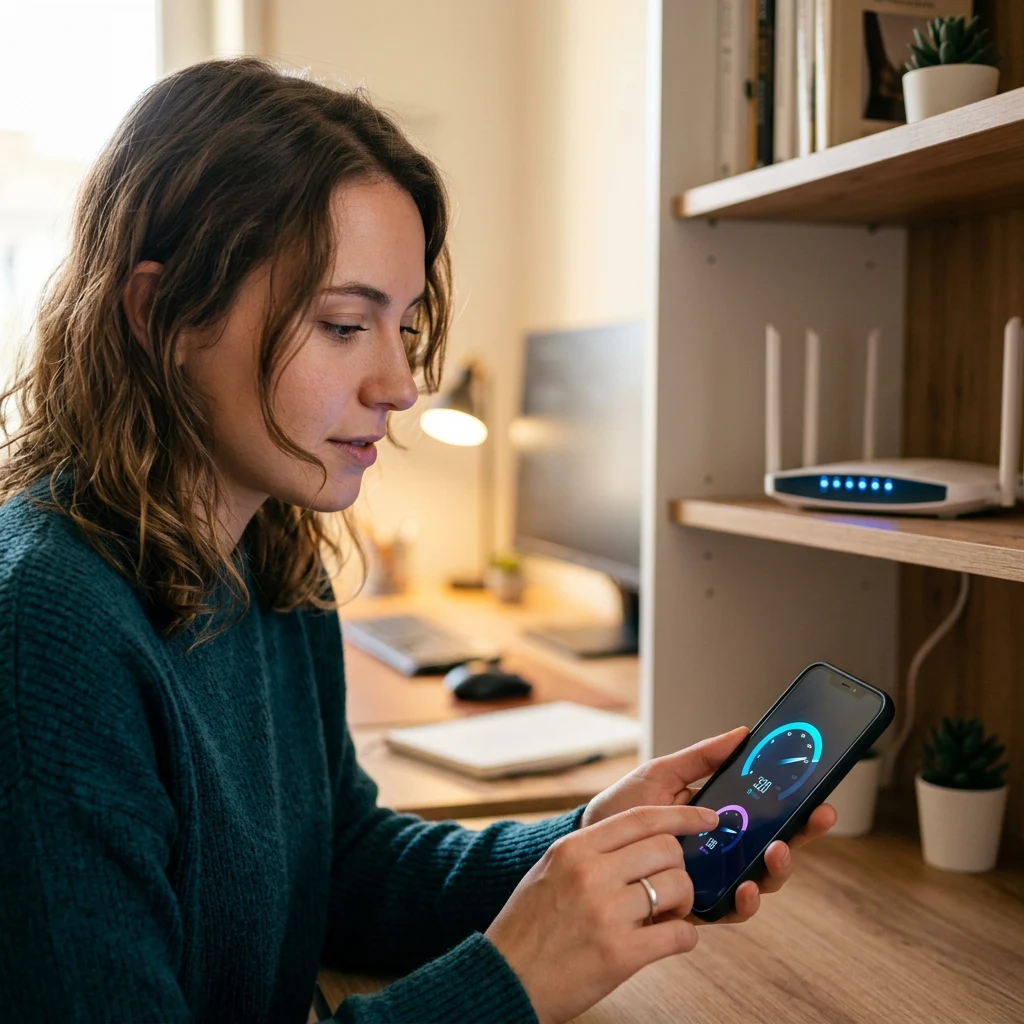
Most homeowners don't realize that the speed they pay their provider for and the speed they actually experience on their phone, laptop, or smart TV are usually two different numbers. The provider delivers the speed to your modem. From there, it has to travel through your Wi-Fi to reach the devices that actually use it. And if your Wi-Fi router is old, weak, or just too far from the device, you lose most of what you paid for.
Wi-Fi 7 is the current generation of home wireless technology, and it's the standard your gateway needs to be on if you want a 1 Gig or faster internet plan to feel like 1 Gig everywhere in your home. Combine that with proper coverage planning (mesh extenders for larger homes, smart placement for smaller ones), and you finally get the experience you've been paying for.
What Wi-Fi 7 Actually Does Differently
Beyond the headline wifi 7 specs, three things really matter for how a home network performs day to day. Wi-Fi 7 (the IEEE 802.11be standard) brings three real upgrades over Wi-Fi 6.
1. Multi-Link Operation (MLO)
This is the headline new feature. Previous Wi-Fi generations made your device pick one band (2.4 GHz, 5 GHz, or 6 GHz) per connection. Wi-Fi 7 lets compatible devices use multiple bands at the same time on a single connection. The result is lower latency, higher reliability (if one band gets congested, the connection switches without dropping), and better performance on demanding tasks like video calls, gaming, and large file transfers.
2. Wider Channels in the 6 GHz Band
Wi-Fi 7 introduces 320 MHz channel width in the 6 GHz band, double the maximum of Wi-Fi 6E. Wider channels carry more data at once. For homes with many devices or heavy bandwidth use, this means more total capacity and less competition between devices for airtime.
3. Lower Latency by Design
Wi-Fi 7 is designed with latency-sensitive applications in mind: video calls, live streaming, online gaming, and any real-time use. The combination of MLO and improved efficiency means Wi-Fi adds less delay to every action — and most people don't realize how much of their daily lag comes from Wi-Fi, not their internet.
Wi-Fi 7 vs Wi-Fi 6: What Changed and What Didn't
If you're trying to decide whether to upgrade, here's the honest comparison.
| What Matters | Wi-Fi 6 (and 6E) | Wi-Fi 7 |
|---|---|---|
| Max channel width (6 GHz) | 160 MHz | 320 MHz (double the capacity per channel) |
| Multi-band connection | One band per connection | Multi-Link Operation (MLO) — use multiple bands together |
| Latency | Lower than older standards | Lower again, designed for real-time use |
| Backward compatibility | Yes (works with older devices) | Yes (works with Wi-Fi 6, 6E, 5, and older) |
| Best for | Most current homes; Wi-Fi 6 is technically capable of multi-gig speeds in ideal conditions | Homes with faster internet, many devices, or that want to future-proof for 5-10 years |
The Whole-Home Coverage Problem (Why One Router Often Isn't Enough)
Even the best Wi-Fi 7 router has physical limits. Wi-Fi signals weaken as they travel through walls, floors, and any material that absorbs or reflects them. Most single routers, including premium Wi-Fi 7 models, provide reliable coverage for somewhere between 1,500 and 2,500 square feet, depending heavily on home construction and layout.

Where dead zones come from
That's where wifi dead zones come from. The bedroom at the back of the house. The basement office. The garage where you charge the EV. The backyard where you'd like to use a tablet outside. These are symptoms of asking a single router to do a job it was never designed to do — covering more space than its signal can reliably reach.
Back bedroom
Basement office
Garage
Backyard
Mesh Wi-Fi vs Wi-Fi Extender vs Single Router
There are three real options for whole-home coverage. The difference between them is significant in daily use.
Single Wi-Fi 7 Router
Best for smaller homes (under about 2,000 square feet, open layouts, single story). Simplest setup. The Wi-Fi 7 gateway your internet provider supplies often does this job well for the right size of home.
Wi-Fi Extender (old approach)
A separate device that picks up the existing Wi-Fi signal and rebroadcasts it. Cheap and easy to add, but creates a second network with a different name in many configurations — your device has to manually switch between the two as you move through the house. Speeds drop on the extended signal. It's an aging approach that mesh has largely replaced for serious coverage needs.
Mesh Wi-Fi System RECOMMENDED
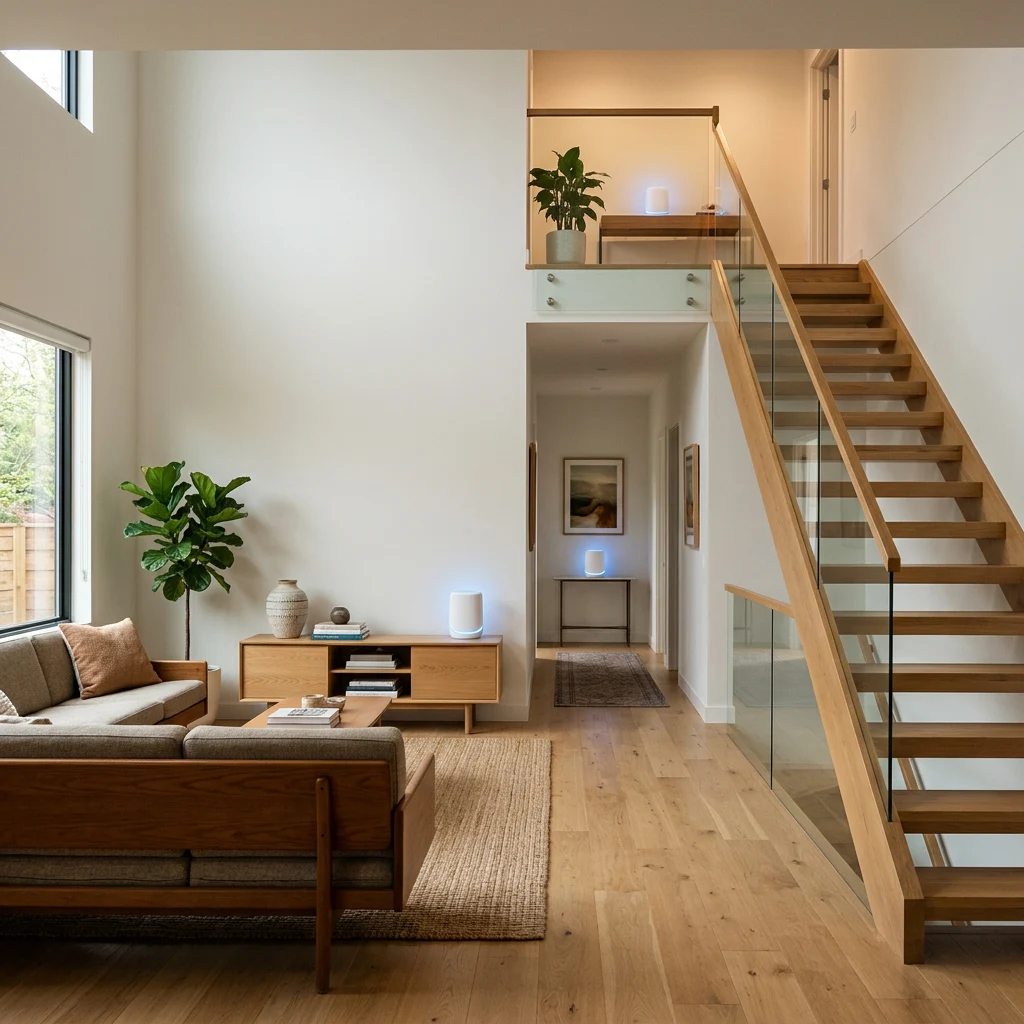
Two or more units that work together as a single seamless network. Your devices roam automatically between units, always connecting to the strongest signal. No second network. Speeds remain high across all units. So what is mesh wifi delivering in practice? Two-unit Wi-Fi 7 mesh systems typically cover around 6,000 square feet, and three-unit systems cover up to around 9,000 square feet, depending on layout and home construction.
Do I Need Wi-Fi 7? (The Honest Answer)
Wi-Fi 7 is real progress, but not everyone needs to upgrade immediately. Use this as a quick check.
Yes, Wi-Fi 7 is worth it if:
You can wait if:
Wi-Fi 7's advantages don't show up in a setup that can't take advantage of them.
Coverage Planning, Not Just Hardware
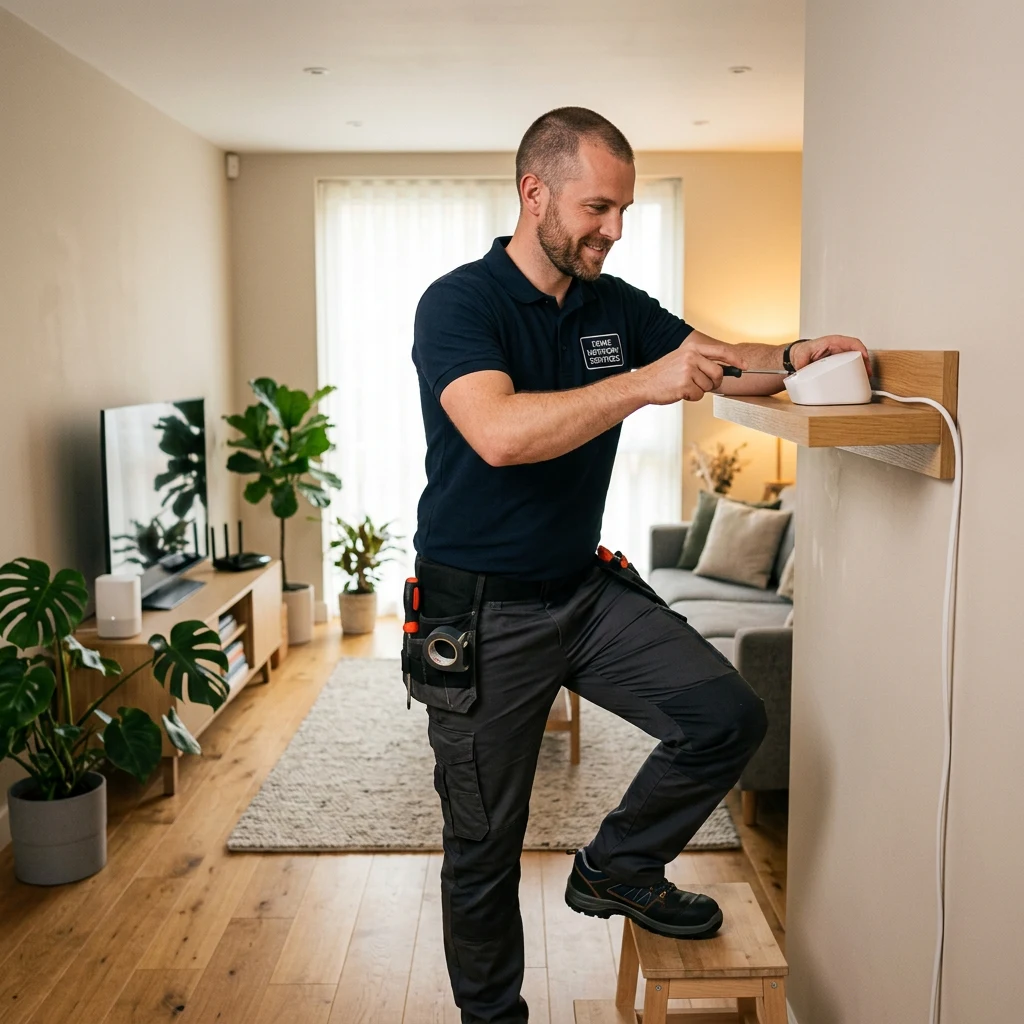
Hardware is the easy part. The hard part is putting it in the right places. We map out your home's layout, identify likely dead zones, and place gateway and mesh units where they'll actually solve the problem.
Honest 'Do You Need It?' Advice
Not every home needs Wi-Fi 7 right now, and not every home needs three mesh units. We tell you when the upgrade pays off and when your existing setup is fine — even when that means we don't sell you something extra.
Coordinated with Your Internet Service
We coordinate Wi-Fi setup with your fiber or 5G home internet install, so the gateway, mesh, and security devices all come up working together on day one.
Professional Install Across 50 States
Mesh setup, coverage testing, and configuration handled by a technician — not a self-install kit and a hope that everything works. Available where you are.
Frequently Asked Questions
Wi-Fi 7 is the latest generation of home wireless technology, formally known as IEEE 802.11be. The main upgrades over Wi-Fi 6 are Multi-Link Operation (MLO), which lets compatible devices connect across multiple frequency bands simultaneously, wider 320 MHz channels in the 6 GHz band (double the capacity per channel compared with Wi-Fi 6E's 160 MHz), and lower latency designed specifically for video calls, gaming, and other real-time applications. The result is faster real-world speeds, more reliable connections under load, and better performance on demanding tasks.
It depends on your internet speed, your devices, and your household. Wi-Fi 7 is worth having if your internet plan is 1 Gig or faster, your home has many connected devices, your existing router is more than 3 to 4 years old, or you're getting new internet service that includes a Wi-Fi 7 gateway. You can comfortably wait if you have a working Wi-Fi 6 setup, your internet plan is under 500 Mbps, and your coverage is fine in every room. Wi-Fi 7's advantages do not appear when nothing in the household can take advantage of them.
Yes. A Wi-Fi 7 router or gateway is fully backward compatible with Wi-Fi 6, 6E, Wi-Fi 5, and older devices. Your old phone, smart TV, security cameras, and other Wi-Fi devices will connect to the new router and work normally. They just won't get the new Wi-Fi 7 features, since those require Wi-Fi 7-capable hardware on both ends. Most flagship phones and laptops from the past 12 to 18 months include Wi-Fi 7, but plenty of households still have older devices, and those all keep working.
First identify what's causing the dead zone. Common causes are distance from the router, dense walls (brick, concrete, plumbing walls), interference from other electronics, or simply too many devices on one router. For homes larger than about 2,500 square feet, multi-story homes, or homes with dense construction, a mesh Wi-Fi system is the most effective solution. Mesh systems use multiple units that work together as one seamless network, so your devices roam between them automatically. For smaller homes with a single dead zone, sometimes moving the existing router to a more central location solves the problem. We help diagnose this during the consultation.
Mesh almost always wins for serious coverage. Wi-Fi extenders pick up the existing signal and rebroadcast it, which usually creates a second network with a different name, drops the speed on the extended signal, and requires devices to manually switch between networks as you move around the house. Mesh systems work as a single seamless network: same name throughout the house, devices roam automatically, speeds stay high. Extenders made sense years ago when mesh was expensive. With modern Wi-Fi 7 mesh systems at reasonable prices, the extender approach is mostly outdated for whole-home coverage.
Most single Wi-Fi 7 routers, including the gateways supplied with fiber internet service, provide reliable coverage for somewhere between 1,500 and 2,500 square feet depending on home construction and layout. Open-plan single-story homes get the most range from a single router. Multi-story homes, homes with brick or concrete construction, and homes with plumbing walls or large appliances near the router get less. As a general rule, homes larger than about 2,500 square feet typically need a mesh system to fully eliminate dead zones, even if the spec sheet suggests one router could cover the space.
Yes, especially if your fiber plan is 1 Gig or faster. The bottleneck on many home networks is the Wi-Fi router, not the internet plan. A 1 Gig fiber connection feeding into an older or weakly-positioned Wi-Fi 6 router can deliver significantly less speed to your devices than the plan provides, particularly at longer distances or through walls. Wi-Fi 7 with proper coverage planning can deliver closer to the full speed to your actual devices throughout the home. If you're installing new fiber internet, the Wi-Fi 7 gateway that typically comes with the service is the right call. For larger homes, adding mesh extends that performance to every room.
Mesh systems are designed for self-installation in straightforward cases — single-story homes, simple layouts, no integration with security or other smart home systems. Professional installation matters when coverage planning gets harder (multi-story homes, dense construction, unusual layouts, large square footage), when you want the Wi-Fi to integrate cleanly with your security cameras and smart home devices, or when you don't want to spend a weekend troubleshooting why two of your mesh units won't sync. We handle the setup, coverage testing, and configuration as part of professional installation.
Get Your Full Internet Speed in Every Room
Talk to a real advisor about Wi-Fi 7 gateways and whole-home coverage. We plan the right setup for your specific home, coordinate with your internet service, handle professional installation, and verify that every room gets the speed you're paying for. No pressure. No fees.
Or call (855) 248-8052. Mon to Fri, 10am–8pm ET.