Quick Answer
In one sentence: Start by counting your home's entry points rather than shopping for products, because that single number tells you what you actually need and turns every sales conversation from open-ended into a specific comparison.
The longer answer: Most first-time buyers don't struggle because the technology is complicated. They struggle because they're asked to make decisions before they have any way to judge the answers. You can't compare quotes that assume different equipment. You can't evaluate an offer that expires tonight. This guide walks through the five points where people typically get stuck, and gives you a concrete way through each one.
Key Takeaways
- Count entry points first. Exterior doors plus accessible ground-floor windows gives you your sensor count.
- Quotes are only comparable if you give every provider the same equipment list and same term length.
- Nothing legitimate expires today. Same-day pressure is a sales technique, not a deadline.
- A small core covers most homes. Much of what gets added at the door is situational.
- Budget for the after-install realities: permit registration, false alarm rules, and a learning period.
Buying a security system for the first time is uncomfortable in a specific way. You're being asked to make decisions about your family's safety using information supplied entirely by people selling you something. If you've already decided whether you need a system at all, here's where the process usually stalls next, and what to do at each point.
“I don't know how much security I actually need”
This is where nearly everyone starts, and the reason it feels impossible is that you're being asked to shop for products before you've defined the problem.
Flip the order. Don't start with equipment. Start with your home's entry points, because that's what a system is actually protecting.
The five-minute exercise
Walk the outside of your house and count: every exterior door, and every ground-floor window someone could reach without a ladder. That number is your baseline sensor count. Add a motion sensor for the main open living area, and you have a genuine starter specification.
There's evidence behind focusing there. Entry-point research cited in our guide to how burglars choose homes indicates roughly 81 percent of break-ins happen on the first floor, with front doors, back doors, and first-floor windows accounting for the large majority. Second-floor entry is rare unless there's easy climbing access.
Now you have a number to work from. When a salesperson proposes something different, you can ask why, which is a far better position than being asked what you want. Our overview of door, window and motion sensors covers what each type actually does.
“Every quote I get looks completely different”
This is the most common frustration, and it isn't your fault. Providers quote different equipment counts, different contract lengths, and different bundles, which makes the totals impossible to compare honestly.
How to force comparable quotes
- Write down one equipment list from your entry-point count, and give that identical list to every provider.
- Specify the same contract length to each, or ask each for both a month-to-month and a term price.
- Ask every one for total cost over the full term, including installation, activation, and any monthly fees.
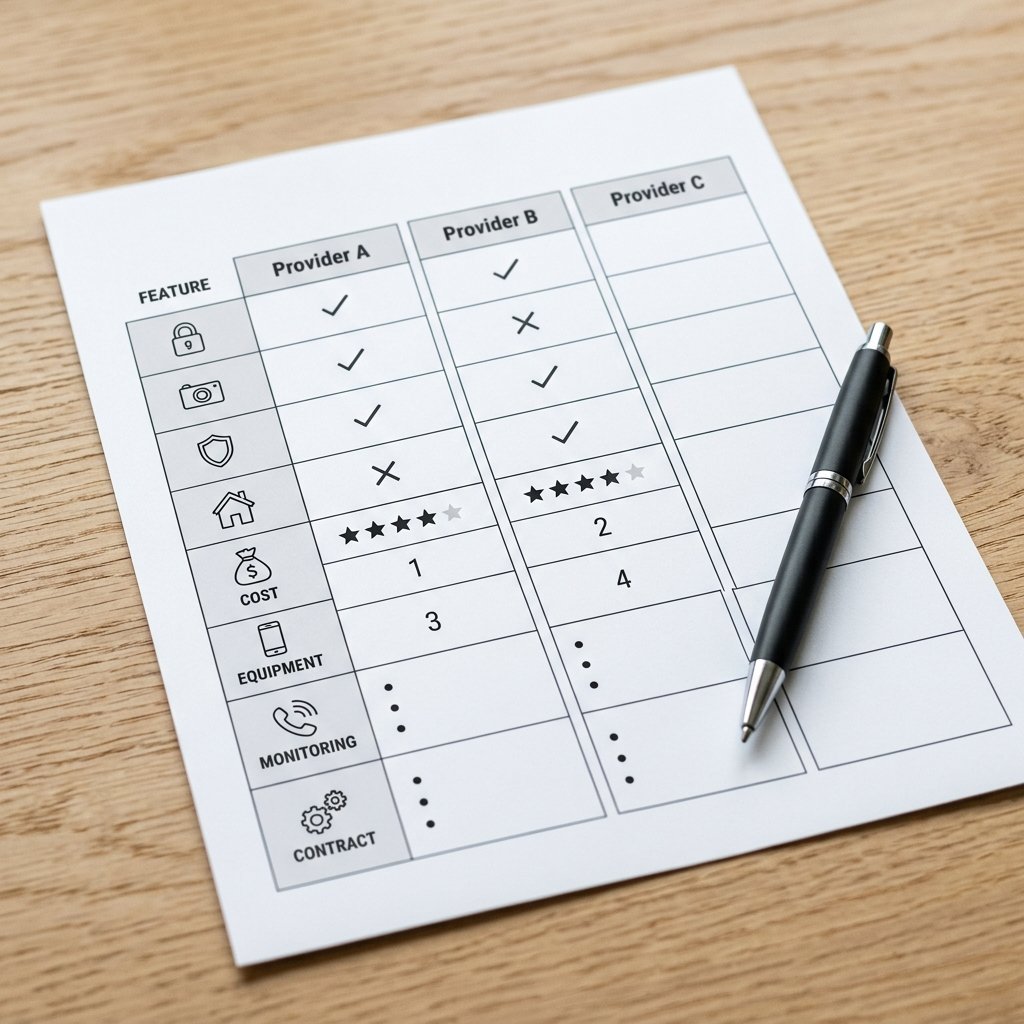
- Write the answers in a single table, one column per provider.
Same list, same term, same question. That's the only way two quotes become genuinely comparable.
For monitoring, expect published industry ranges of roughly $15 to $60 or more per month depending on features. Our guide to choosing between providers covers the contract terms worth reading before you commit to any of them.
“They want me to decide today”
Same-day pressure is common in this industry, and it's worth naming plainly: an offer that only exists if you sign tonight is a closing technique, not a deadline.
What to do instead is simple. Ask for the offer in writing, including the full agreement, and tell them you'll review it and come back. A provider who genuinely wants your business will send it. A provider who withdraws the offer has told you something useful about how they operate.
Three things worth refusing
- Signing anything during an unsolicited door-to-door visit
- Agreeing to a price with no written breakdown of one-time fees
- Accepting a claim that your current provider was acquired or went out of business without verifying it yourself, using a number from your own paperwork rather than one handed to you
Buying your first system and want a second opinion?
Our advisors help first-time buyers work out what their home actually needs and compare options across our provider partners. Free consultation, no pressure.
Call (855) 248-8052 or request a free quote online.“I can't tell what's essential and what's an upsell”
Some components genuinely earn their place in almost any home. Others are worth having only if they solve a problem you actually have. Here's an honest split.
| Component | Priority | Worth it when |
|---|---|---|
| Entry sensors on doors | Core | Always. This is the foundation. |
| Ground-floor window sensors | Core | Always, on accessible windows. |
| Control panel or hub | Core | Always. It runs the system. |
| Cellular backup | Core | Almost always. Keeps the system online during outages. |
| Motion sensor | Core | Main living area, as a second layer. |
| Video doorbell | High value | Deliveries, visitors, or any front-door concern. |
| Outdoor cameras | Situational | Larger properties, driveways, or specific problem areas. |
| Glass-break sensors | Situational | Large windows or sliding doors. |
| Smart locks | Situational | Frequent guests, rentals, or keyless preference. |
| Extra interior cameras | Usually optional | A specific room needs watching, not by default. |
A useful test when something is added to your quote: ask what specific problem it solves in your home. If the answer is generic, it probably belongs in the situational column rather than the first purchase.
“What actually happens after they install it?”
This is the part almost nobody explains before the sale, and it's where first-time owners get surprised.
Permits
Many municipalities require an alarm permit, with published fees commonly in the range of about $25 to $100 per year. Ask who files it, you or the provider, and confirm it's done. An unregistered system can complicate police response.
False alarms
Expect a few in the first weeks. Pets, deliveries, an unfamiliar keypad, and household members learning the routine all cause them. This matters financially, because false alarm penalties are set locally and published figures commonly range from about $50 to $500 or more depending on the jurisdiction and the number of incidents.
Practical fix: make sure every adult in the household knows the disarm code and the verbal passcode before day one, and ask the monitoring provider what their verification process is so you know what to expect when they call.
The settling-in period
Give it a month. Sensor placement often needs adjusting once you see real-world traffic patterns, and arming routines take time to become habit. Ask upfront what a service visit costs after installation, since published ranges run from roughly $50 to $200. Our guide to new installations covers what a full setup involves.
Frequently Asked Questions
How do I know how many sensors I need?
Count every exterior door plus every ground-floor window someone could reach without a ladder. That total is your baseline. Add one motion sensor for the main living area and you have a workable starter specification.
What should I buy first for a first home security system?
Door sensors, sensors on accessible ground-floor windows, a control panel, cellular backup, and one motion sensor. That core covers most homes. Cameras and smart locks are worth adding once the basics are in place.
How do I compare quotes from different security companies?
Give every provider the identical equipment list and the same contract length, then ask each for total cost over the full term including all fees. Quotes built on different assumptions cannot be compared meaningfully.
Should I sign up during the first sales visit?
No. Ask for the offer and full agreement in writing, then review it on your own time. Same-day expiring offers are a closing technique. A provider who withdraws an offer when you ask to read it has told you something useful.
How much does monitoring cost for a beginner setup?
Published industry ranges run roughly $15 to $60 or more per month depending on features. Compare total cost across the full contract term rather than the monthly figure, since fees and term length change the real number.
Do I need a permit for a home security system?
Often yes. Many municipalities require an alarm permit, with fees commonly around $25 to $100 per year. Ask whether you or the provider files it, and confirm it's completed before relying on police response.
What happens if I set off a false alarm?
The monitoring center follows a verification process, usually contacting you before dispatching. Repeated false alarms can carry local fines, with published figures ranging from about $50 to $500 or more depending on jurisdiction.
How long does it take to get used to a security system?
Roughly a month for most households. Expect some false alarms early while placement gets adjusted and arming becomes habit. Making sure everyone knows the disarm code before day one prevents most of them.
Are cameras necessary for a first system?
Not usually as the starting point. Entry sensors and monitoring cover the core risk. A video doorbell is often the highest-value first camera, since it addresses deliveries and visitors at the most-used entry point.
What is cellular backup and do I need it?
It lets the system reach the monitoring center over a cellular signal rather than your internet. Without it, an outage or a cut line can take the system offline, so most homes should treat it as core rather than optional.
Related Reading
- How Much Does a Home Security System Really Cost?
- Do You Actually Need a Home Security System?
- How to Choose Between Home Security Providers
- How Do Burglars Actually Choose Which Homes to Break Into?
Explore our services:
- Door, Window & Motion Sensors
- 24/7 Professional Monitoring
- New Home Security Installations
- Home Security Overview
Get a Second Opinion, Free
The hardest part of a first purchase is that every source of information is also trying to sell you something. A second opinion that isn't tied to one provider changes that.
Home Secure Connect is an independent home security advisor. We help first-time buyers across the USA work out what their home genuinely needs, then compare options across our trusted provider partners. Free consultation. No obligation. No pressure.
Call (855) 248-8052 or Request a Free QuoteAvailable Mon to Fri, 10am to 8pm ET.
Trending This Week
How to Test if Your Home Security System Is Actua…
September 9, 2026 · About 8 min read
Should You Upgrade Your Old Home Security System?
September 7, 2026 · About 8 min read
Contract vs No-Contract Home Security: Which Actu…
September 2, 2026 · About 7 min read